
FOR MID-SIZED FIRMS
More capacity and better margin,
from the work you already do.
Avvoka helps mid-sized firms turn their best work into approved templates. New documents start from them. AI tools draft from them in your firm’s own wording. Lawyers spend less time drafting and more time on client work.
Works with or without AI · A lawyer approves every template · Build with your team or a partner
Trusted by leading firms & legal teams
WHAT’S POSSIBLE
You’ve invested in the tools. Are you getting the best value from them?
01
Does your AI draft like your firm?
Your best clauses and trusted wording sit in past deals, out of reach of your AI tools.
02
Is your standard the same on every matter?
Common documents are rebuilt from an old matter each time, so wording varies from lawyer to lawyer.
03
Are you drafting at the speed your clients demand?
Turnaround expectations keep rising while your lawyers’ time stays full.
WHAT IT DOES FOR YOUR FIRM
Put your best work to work and four things change.

01
Your AI tools draft from your firm’s best work, so lawyers rewrite less and review sooner.
02
Every lawyer starts from the same approved wording, so review can focus on the deal.
03
Your most common documents come together at pace from your best version, so lawyers spend less time drafting and more time on client work.
04
Documents take less time to draft and less to check, so the same matters earn more.
HOW IT WORKS
Codify your judgement once. Scale it wherever you draft.
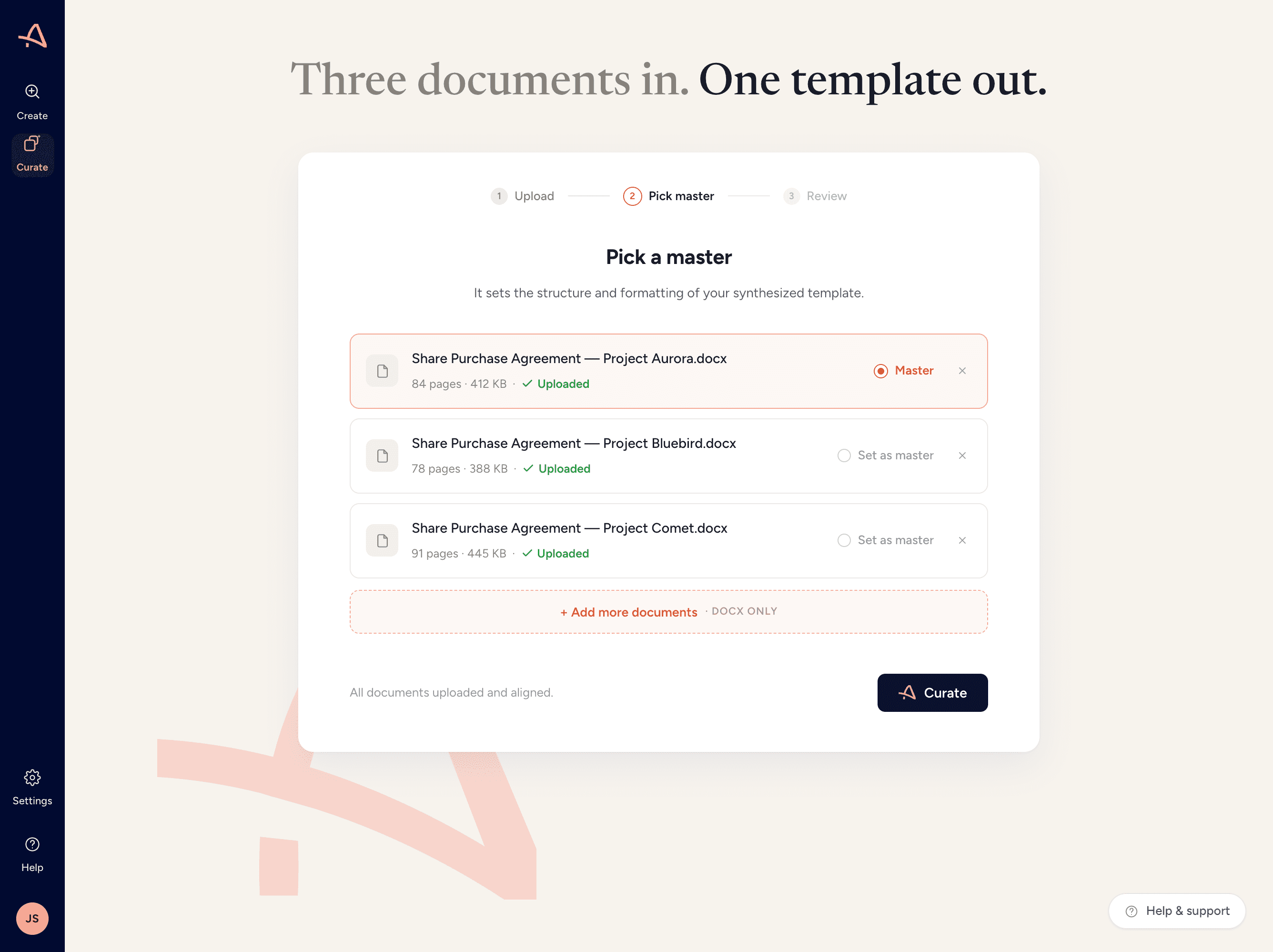
Curate turns your best work into templates that your lawyers approve. You choose where to scale them next.
Capture the wording your firm stands behind
Curate reads your best work and surfaces the strongest version of each clause. A lawyer approves the wording. The result is a template that captures how your firm drafts. Build it in house with your knowledge team or your practice, or use one of our delivery partners.
Use the template where your lawyers work
The template is yours. It delivers value on its own.
Then automate your documents
The templates you’ve built go straight into document automation. A questionnaire produces the whole document. Each one holds to the wording you approved. Lawyers can also draft from the same templates inside Claude and Microsoft Copilot, staying in the assistant they already use.
WHAT FIRMS SAY
GETTING STARTED
Build in house, or bring in a partner.
Templates are usually built by a knowledge team. Build them with your own team, or bring in one of Avvoka’s delivery partners as knowledge management capability on demand. Your lawyers decide what goes into every template on either route.
01
Choose the documents
Your team picks the documents it drafts most.
A delivery partner works with your team to choose where to start.
02
Capture your best work
Your lawyers use Curate on your executed deals.
A delivery partner builds with your team on Avvoka, using Curate on your executed deals.
03
Approve the wording
SAME ON BOTH ROUTES
Your lawyers decide what goes into each template, clause by clause.
04
Put it to work
SAME ON BOTH ROUTES
Your first approved template is in use, in Word, in your AI or in automation.
Tell us which documents matter most and we’ll scope the route together.
What is document automation?
Can we start with Curate on its own?
How does this work with the AI tools we already have?
Can we start with the team we have?
Who decides what goes into a template?
How long does it take and what does it cost?
Who owns the templates?
How are our documents handled?
READY TO SEE IT?
Watch the four-minute walk-through, or book a time below and tell us which documents you draft most.
Choose a date.
Loading availability…