
Comparison
Avvoka vs HotDocs
A comparison of where HotDocs and Avvoka differ and which suits your firm.
Before you compare
AI-assisted drafting is now expected
HotDocs predates it. Its AI integration is limited.
Templates depend on one person
Specialists build and maintain HotDocs templates. When they move on, the know-how goes with them.
Every integration is a custom build
Standard connectors like iManage need custom development. Setup takes 4-6 weeks.
If one of these resonates, read on to understand the differences between Avvoka and HotDocs.
WHAT FIRMS SAY
The core difference
HotDocs was built for a specialist to configure once and the firm to run for years. Avvoka was built for lawyers and paralegals to keep building as the firm's work changes. It shows up in every row of the table above.
Where Avvoka goes further

No-code authoring in native Word, so building isn't gated behind one specialist.
HotDocs
Template-building is usually one specialist's job.
Avvoka
Paralegals, lawyers and ops leads build and maintain templates directly.
iManage, NetDocuments and DocuSign work out of the box, with no custom development.
HotDocs
Standard connectors need custom development. Setup takes 4-6 weeks.
Avvoka
Setup takes 1-2 weeks, often with no code.


Draft Assist works with your firm's existing LLM instead of replacing it.
HotDocs
AI integration is limited.
Avvoka
Live today with Claude and Copilot; Harvey in early access, Legora coming.
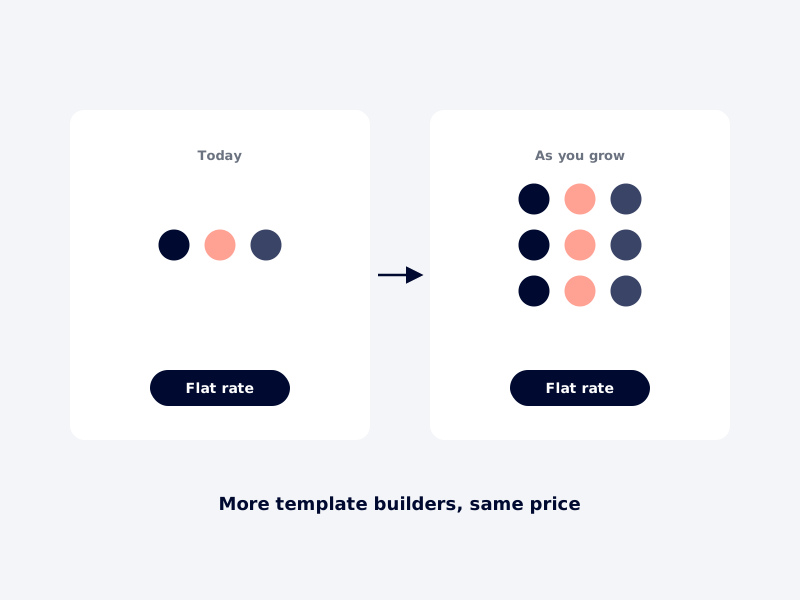
Flat-rate pricing means adding template builders doesn't add cost.
HotDocs
Compare against what each added builder costs you today.
Avvoka
Flat-rate. More builders cost nothing extra.
The honest view
HotDocs if…
—
You have developers or specialists on staff to build and maintain templates
—
Your logic is deeply nested
—
You need maximum control over every detail of the build
—
You're comfortable with the IT overhead and expect adoption to stay small
Avvoka if…
—
You want paralegals and lawyers building templates themselves
—
You want updates in minutes, without a specialist queue
—
You want connectors that work out of the box
—
You want pricing that doesn't rise as more people build
IF YOU DECIDE TO SWITCH
Leave HotDocs, without the downtime
Your HotDocs estate stays live the entire time. Nothing moves until your team signs it off, one template at a time.
01 · DEMO
See it on your work
A 30-minute demo where we rebuild one of your document types in Avvoka.
No commitment.
02 · PROOF
Prove it on one template
Under NDA, our solutions engineers rebuild one of your HotDocs templates in 14 days.
If it doesn’t meet your standard, you stop here.
03 · ROLLOUT
Roll out in parallel
Administrative documents migrate first, complex templates next. Rebuilding also lets you retire the 20-30% of templates that typically go unused.
Users move across, template by template.
04 · SIGN-OFF
Sign off & expand
Each template goes live only when your team approves it. Most migrations complete in 8-12 weeks.
You own the standard.
● THROUGHOUT
Your HotDocs estate stays live from day one to cutover.
Nothing is at risk on cutover day. You switch when you're ready.
READY WHEN YOU ARE
Plan the switch on your terms
See Avvoka rebuild one of your own HotDocs templates and judge what changes.
FAQ
Will my existing HotDocs templates migrate?
What happens to my iManage, NetDocuments or DocuSign integrations?
What hosting regions do you support?
Will our templates stay our IP?
What does Avvoka cost versus HotDocs?
How long does a typical migration take?
Built on Avvoka
of the AmLaw 100 draft on Avvoka
law firm retention over eight years
of documents drafted, zero hallucinations
ready to see it?
Thirty minutes. No commitment.
Choose a date.
Loading availability…